Page 11 of 13
Re: Bug Reports
Posted: 22 Aug 2026, 11:35
by Mycjhash
When I use TOR Browser I always get the verify page and it fails (I basically cannot verify).
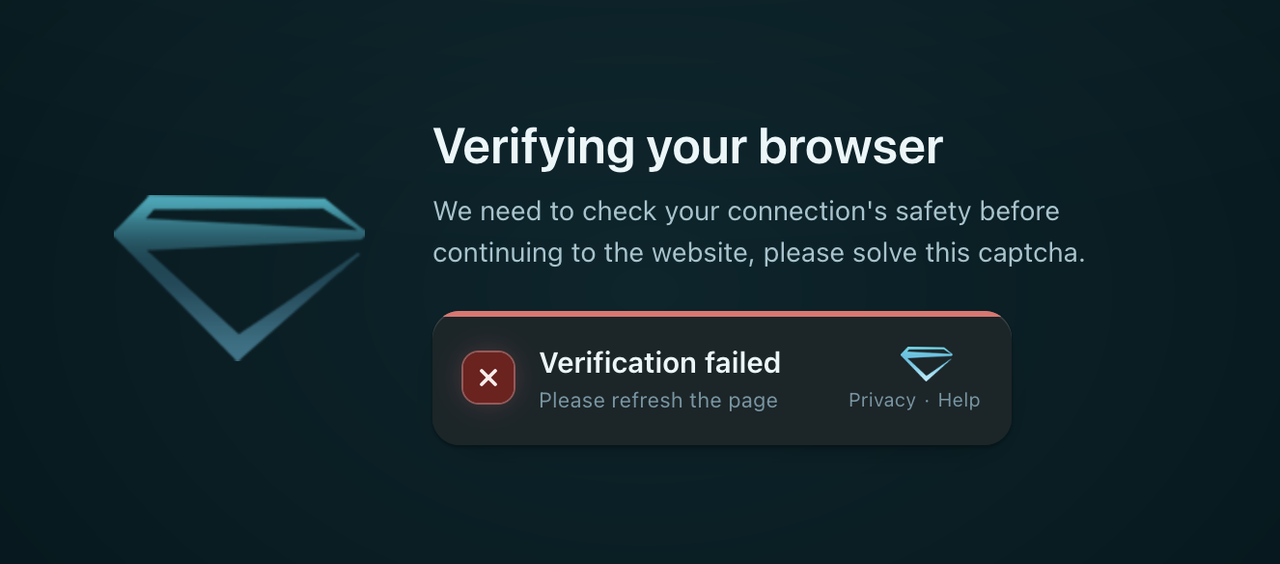
It happens visiting:
https://z-lib.sk
https://z-library.sk
https://z-lib.fm
https://z-lib.gd
Re: Bug Reports
Posted: 23 Aug 2026, 09:07
by BadRobat
Please check again. The issue should already be resolved. If it persists, please email us at
support@z-lib.fm
Re: Bug Reports
Posted: 09 Sep 2026, 03:40
by autolycus
Windows Desktop App crashed and upon relaunching all tabs opened during the session have gone. Only open tabs from previous sessions where the app was closed normally. It seems open tabs are only saved when closing the app and not automatically in frequent intervals as normal browsers do. That means if you have been browsing and opening tabs for hours and the app crashes, you simply lose all those hours of opening tab for later downloading. Not sure if there is a way to retrieve those tabs from a log file when the app suddenly crashes.
Re: Bug Reports
Posted: 12 Sep 2026, 21:02
by ra_trong_em
404 Not Found
nginx/1.29.5
Need a better protocol to upload/fix cover image. I can't use image link like libgen does. I can't upload from PC to fix the cover image (error above is the upload image, which is supposed to get uploaded but didn't work) and it shows the same image as the original in the suggested correction.
Re: Bug Reports
Posted: 13 Sep 2026, 11:48
by Mycjhash
The verify now works but than using TOR browser it is not possible to visit the website because too many connections.... which is hilarious, because if you try to protect your IP with TOR you cannot!
The onion link, if the one that I've is the the right onion link (strange enough an official one is not provided), most of the time doesn't work.
Z-Library should protect the users not force them to expose their details such as the IP address to use it.
Re: Bug Reports
Posted: 13 Sep 2026, 15:27
by Vika
ra_trong_em wrote: 12 Sep 2026, 21:02
404 Not Found
nginx/1.29.5
Need a better protocol to upload/fix cover image. I can't use image link like libgen does. I can't upload from PC to fix the cover image (error above is the upload image, which is supposed to get uploaded but didn't work) and it shows the same image as the original in the suggested correction.
The error in
Suggested Corrections is known about, and is not representable of the image you uploaded. The correct image was uploaded and sent to the devteam for verification. It is a graphical glitch in Suggesteds. Annoying yes, but the functionality is unimpeded. Which is likely why it is low priority.
Outside of moderation image upload requests still go through the devteam, even when using a moderator access account. This means it can take weeks for the image to be approved - but it will get there eventually.
Re: Bug Reports
Posted: 13 Sep 2026, 15:34
by Vika
Mycjhash wrote: 13 Sep 2026, 11:48
The verify now works but than using TOR browser it is not possible to visit the website because too many connections.... which is hilarious, because if you try to protect your IP with TOR you cannot!
Please refer to
this announcement post for alternatives. When that connection problem happens with the main urls, please try one of the alternates listed there. Yes, its annoying, but the 'too many connections' is intermittent ddos attacks on the main ones.
The onion link, if the one that I've is the the right onion link (strange enough an official one is not provided), most of the time doesn't work.
There's an official one on Wikipedia. Otherwise, Tor will tell you if it detects an onion for the domain you're on. Only use the onion if youhave to, as it is slow as molasses, and a major hindrance if you're trying to moderate and fix anything over about 50mb.
Re: Bug Reports
Posted: 13 Sep 2026, 15:39
by Vika
autolycus wrote: 09 Sep 2026, 03:40
Windows Desktop App crashed and upon relaunching all tabs opened during the session have gone. Only open tabs from previous sessions where the app was closed normally. It seems open tabs are only saved when closing the app and not automatically in frequent intervals as normal browsers do. That means if you have been browsing and opening tabs for hours and the app crashes, you simply lose all those hours of opening tab for later downloading. Not sure if there is a way to retrieve those tabs from a log file when the app suddenly crashes.
Its not ideal, but a workaround for now, is to close the app say once every half hour to force save your tabs.
Basically, use the save-scum mentality. Might be worth backing your appdata up as well, for a second layer.
Re: Bug Reports
Posted: 24 Sep 2026, 11:01
by ra_trong_em
Hello,
i use ftp with filezilla to upload. Everything was normal until a few days ago, among the queue files, only 2 files upload then it stops. I have to manually remove the 2 files from the pending queue for it to progress, and again, 2 files at a time like that.
Most probably on my PC side but if this happened to you before, please shed some light. Thank you

Re: Bug Reports
Posted: 01 Oct 2026, 00:36
by hpk786
Hi all,
After downloading a book, I like to rate how much I like it and the file quality using the 5-star system that is on the download page above the detailed book description. Lately, I only see that one of the two abailable ratings will save — either file quality, or how much I enjoy the book, whichever I rate first. Refreshing and coming back to the page still does not change that only one rating of the two available ever saves and shows up. This is disappointing, because the green file quality rating is especially important for users with limited daily downloads available. I frequently used it to sort which version of a classic novel i felt would be most likely to be the type and quality I was looking for — I enjoy particularly PDF versions of scanned copies of actual books, for example, but there is a wide variability in how readable they can be, and it can take a few version checked before I find one that is to my liking.
Anyway, I am hoping for answer to this bug, which is new to me in the last two weeks to a month. Prior to recently, I had had no issues. Thanks for reading and please let me know if there are things I can try to help restore this functionality.