The Azteco Bitcoin Voucher is a secure and convenient way to make a donation on our website.
For several reasons, cryptocurrency is currently
our preferred method for accepting donations. That's why the Azteco Bitcoin Voucher is an excellent choice for anyone looking to support us.
It may become your preferred method as well, since you can purchase a voucher
using Visa, Mastercard, Google Pay, PayPal, Paysafecard, PIX, and other payment methods. This method allows you to make a donation without having to buy cryptocurrency or create a crypto wallet.
Learn more about Azteco vouchers:
azte.co/help.
How to make a donation:
A quick tip before you get started:
create a new email address to register with the online store where you'll be purchasing your voucher.
These online stores may send out spam, so a separate email address will help you avoid unwanted emails.
1.
Choose e-store that accepts a payment method convenient for you
A complete list of stores is published on the
official Azteco website.
Payment methods are usually listed at the bottom of the website and on the checkout page.
We recommend using
Driffle, G2A, and OffGamers - we and our users use these stores
If you encounter any issues, such as problems with payment or receiving a voucher, you can always contact the customer support team of the respective store, and they will definitely help you resolve your issue.
2. Register in the online store using YOUR email address
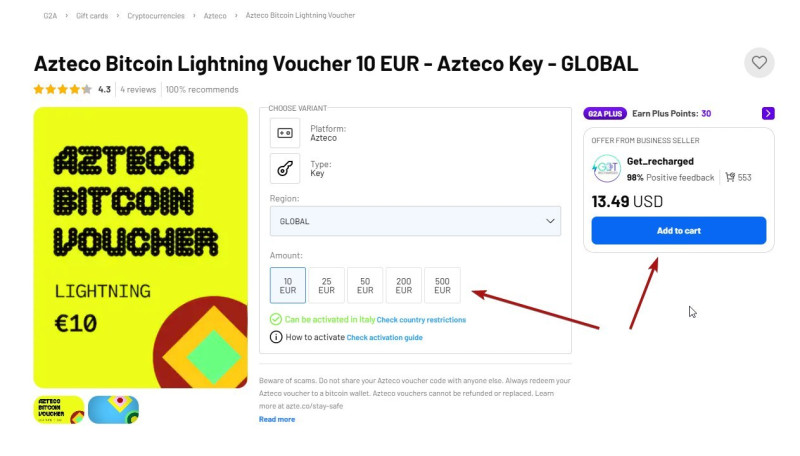
3. Find and select the Azteco Bitcoin voucher
We accept both types of vouchers:
Voucher denominations are set by the stores. Usually amounts available are: 10, 15, 20, 25, and higher.
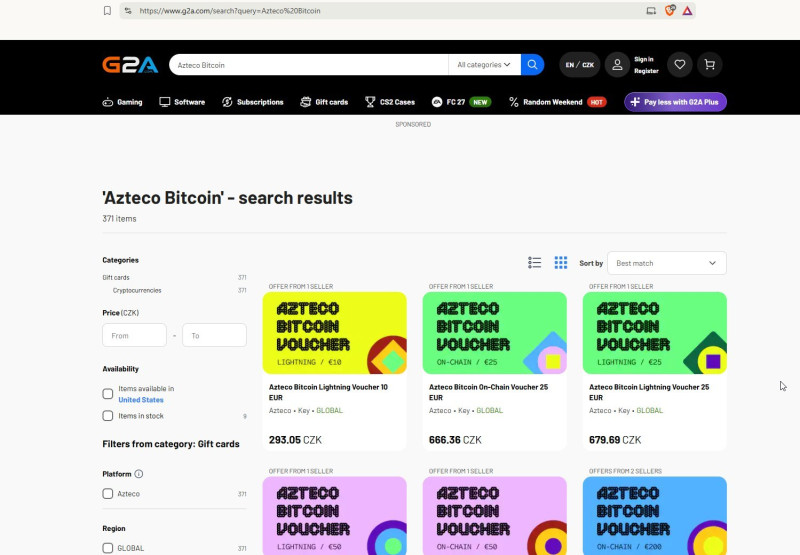
Please note: We only accept Azteco Bitcoin Vouchers. Other gift cards and cryptocurrency vouchers are not accepted.
Amazon Gift Cards are an exception.
4. Add the voucher to your cart and pay for your order using your preferred payment method. An additional fee for using a credit card may be charged by your bank or the store itself.
We credit the amount you actually spent on the voucher, including any fees charged by the store or payment service. These fees do not reduce the amount of your donation.
Before paying, we recommend checking the total order amount and the store’s terms and conditions.
5. Receive Azteco Bitcoin voucher via email
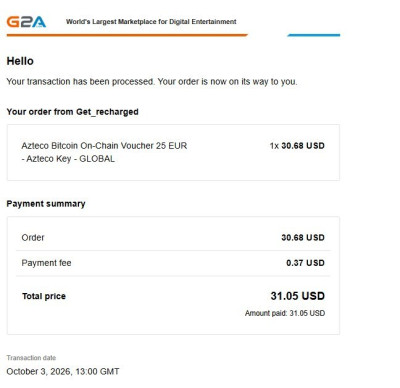
After payment, you will usually receive two emails:
1) an email with an order confirmation, invoice, or receipt;
2) an email with the purchased voucher or Gift card
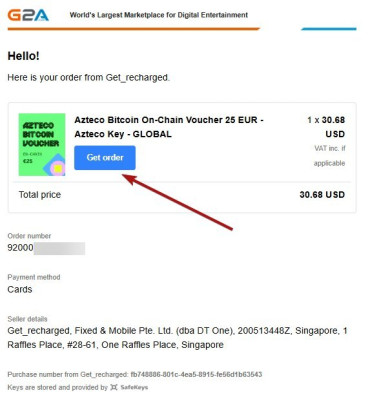
The voucher may be in the form of:
• a link;
• a 16-digit code;
• a QR code.
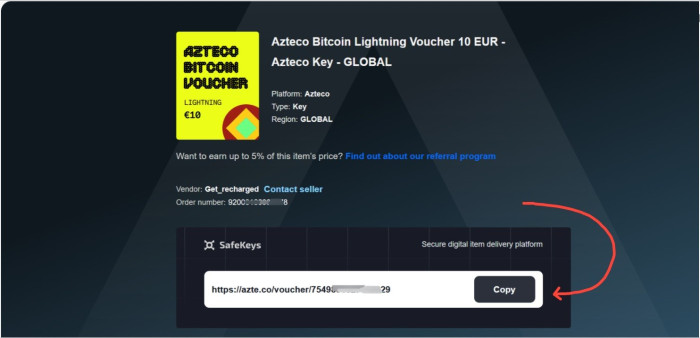
6. Send the voucher to us
Copy the link or 16-digit code voucher and send it to donations@z-lib.fm.
You can always find the current email address on the donation page of our website.
If possible, send the voucher from the email address associated with your Z-Library account. If this is not possible, include the email address registered with Z-Library directly in the email.
7. Wait for your donation to be processed
Please be aware that all vouchers are processed manually by our Support Team, which may take longer than automated payments.
We understand this could be inconvenient, but we carefully read and appreciate every message we receive, whether it concerns issues or expressions of gratitude.
Your financial support is invaluable to us, as are your words.
8. Receive confirmation
Once your donation has been processed, you will receive an email with information about your premium status at the email address registered with Z-Library.
Thank you very much for every donation you make